Forms
Create website forms, validate submissions and manage responses in Studio. Configure email and check the limits of exported forms.
Ask the AI to add a form to your site, then review its fields and test a submission. The installed form handler validates responses and stores them for you to manage in Studio.
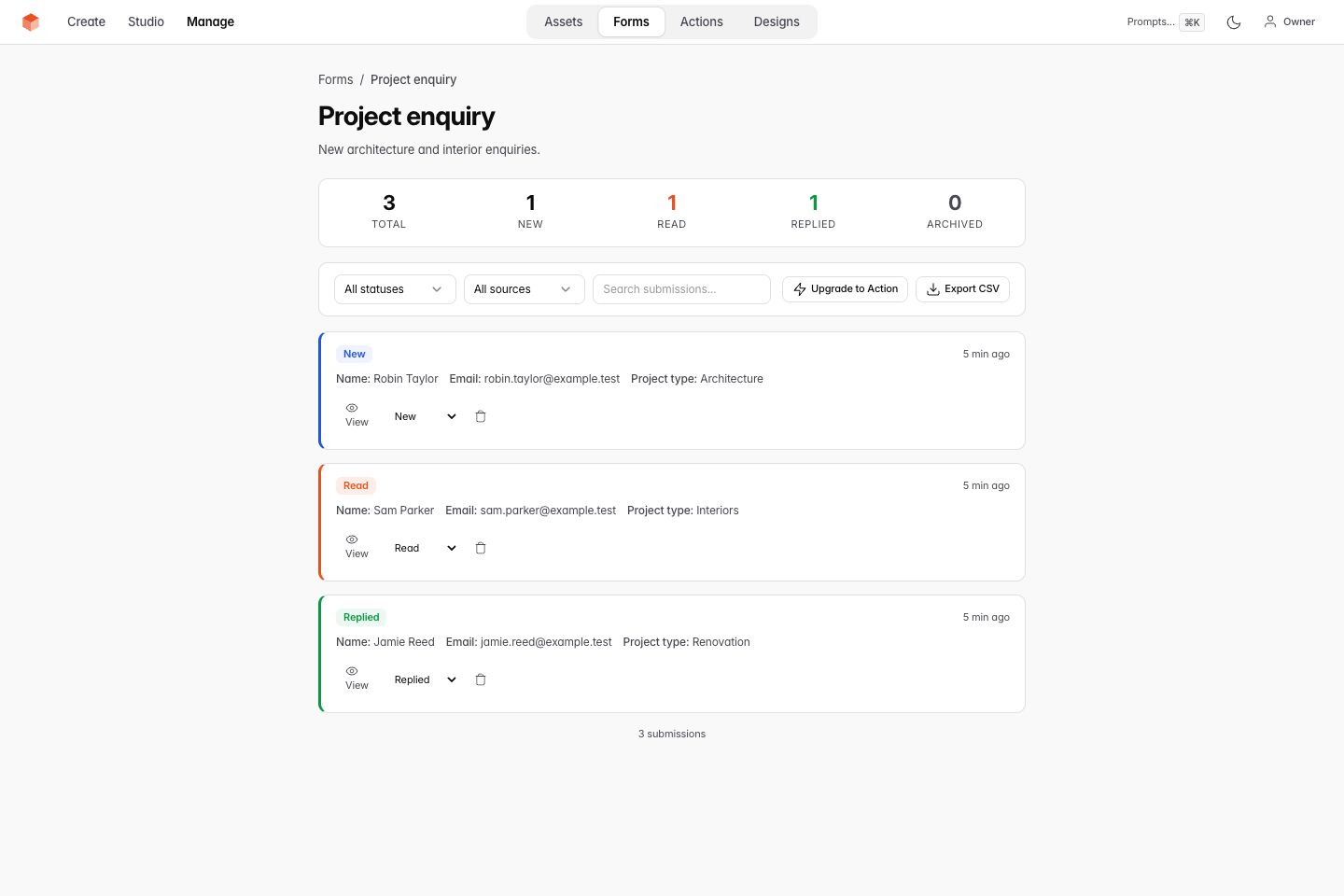
Desktop example: synthetic form submissions.
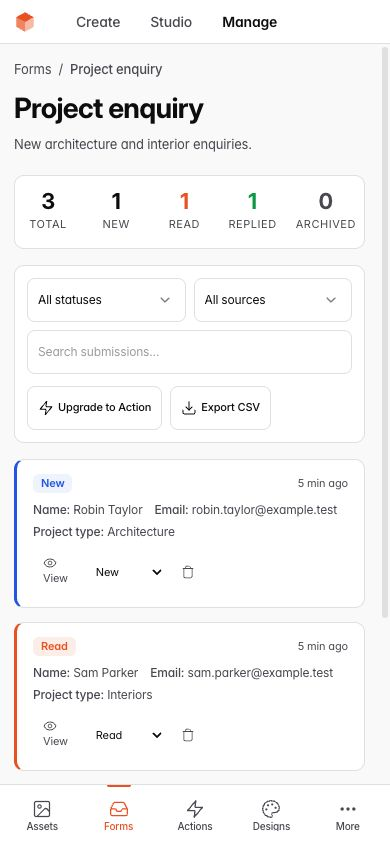
Phone example: filter and review submissions.
How forms are generated
Ask Chat for the form you need. For example: "Add a booking inquiry with name, email, preferred date and a message." Review the fields before publishing.
Each form has two parts:
- HTML: the visible form and its validation attributes.
- Schema: a JSON file in
assets/forms/with fields, validation rules and submission settings.
The public form handler (submit.php) reads the published schema. Draft field and validation changes take effect on the live form only after publication.
Features
Validation
The installed handler checks required fields, email and phone formats, and the rules in the form schema.
The supplied JavaScript handler shows field errors beside invalid inputs and scrolls to the first invalid field. It clears errors before the next attempt. Preview submission validates the draft form without storing a live record or sending email. After publication, submit a deliberate test through the public form to check storage and delivery.
Spam protection
The handler checks hidden honeypot fields for spam. If a configured honeypot contains text, it rejects the submission without exposing the spam check to the visitor.
Email notifications
When someone submits a form, VoxelSite can send a notification. Configure Email & Notifications in Settings.
VoxelSite supports:
- SMTP - Gmail, Outlook, Yahoo, iCloud, Zoho, custom server
- PHP mail() - Uses your server's built-in mail function
- Not configured - read stored submissions in Studio
Submission storage
Form submissions are stored in SQLite at _data/submissions.db. Apache uses the supplied .htaccess rules to block public access. On Nginx, add the protected-directory rules.
Submission management
View and manage form submissions in Studio under Forms. Status changes, notes and deletion affect live business records immediately. Website snapshots do not undo them. Scoped external tools share these versioned operations; see Business workspaces.
Available controls:
- View all submissions per form
- Filter by status: New, Read, Replied, Archived
- Search submissions
- Export to CSV
- Add notes to submissions
- Delete submissions
Form types
The AI generates forms based on what your business needs. Common types:
- Contact form - name, email, message
- Booking form - name, email, date, time, service selection
- Order form - item selection, quantities, contact info
- Inquiry form - detailed multi-field forms for specific services
- Newsletter signup - email collection
Technical details
Forms submit via standard POST to submit.php. JavaScript enhancement provides AJAX submission with loading states and success messages, while the form still works without JavaScript.
The supplied script is assets/js/form-handler.js. Publishing copies it from Studio. After updating VoxelSite, publish to deploy the updated handler.
The handler stores uploads in _data/uploads/. Apache uses the supplied .htaccess protection. On Nginx, deny web access to _data/ before accepting uploads.
Forms in downloaded sites (portability fallback)
The installed form handler needs Studio code for validation, SQLite storage, uploads and notifications. Keep the installation when you need those features.
The ZIP export includes a standalone submit.php for basic forms. It works without Studio and needs PHP.
The standalone handler reads assets/forms/, checks fields and honeypots, and can send notifications through mail(). It stores JSON submissions in _submissions/. Apache exports include access rules; Nginx needs manual protection.
What's different from the standard VoxelSite installation:
- Submissions are JSON files, not SQLite records
- No rate limiting (stateless handler)
- No file upload support
- No Studio UI for managing submissions
- Email notifications use
mail()only (no SMTP configuration)
The standalone handler needs PHP and a writable submissions directory. On static-only hosts (no PHP), form submissions will not function.
Server compatibility
The form handler, MCP server and Studio API use __DIR__ to resolve paths relative to their own files. This avoids depending on a populated DOCUMENT_ROOT value.
Related
- Actions - forms that visitors and connected AI agents can submit
- Email - configure email notifications for form submissions
- SEO & AI discovery - how forms and actions are exposed via MCP
- Download & export - how forms work in downloaded sites
Found a mistake in these instructions? Open an issue.
Download VoxelSite